IPTV Smarters Pro: download, install & setup.
The complete 2026 guide to installing IPTV Smarters Pro on Firestick, Android, Smart TV, iPhone and PC — and logging in with your GoldenOTT subscription in under two minutes.
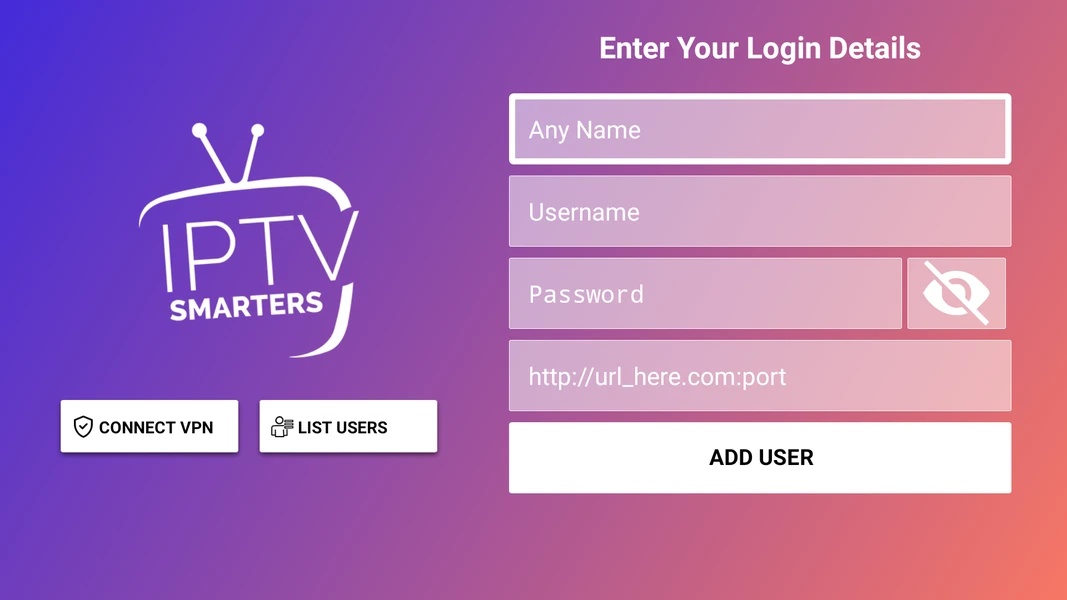
What is IPTV Smarters Pro?
IPTV Smarters Pro is a free player app — not a channel provider. It gives you the interface; your subscription gives you the content.
Install it on almost any device, log in with the Xtream Codes API or M3U details from your provider, and it pulls in live TV, movies, series and the on-screen TV guide (EPG). Because the app is free and universal, it has become the most popular way to watch IPTV — which is why “IPTV Smarters Pro” is searched over 18,000 times a month.
It’s a true all-rounder: the same familiar layout works on a Firestick, an Android box, an iPhone, a Samsung or LG TV, and a Windows or Mac computer. That’s why it’s the app we recommend first for most people.
Pair it with a GoldenOTT subscription and you get instant login details, 22,000+ channels and 4K playback with almost no buffering.
How to install IPTV Smarters Pro on Firestick
The most-searched setup — done in five steps, about two minutes.
Allow unknown apps
Go to Settings → My Fire TV → Developer Options and turn on Apps from Unknown Sources.
Install Downloader
From the Firestick search, find and install the free Downloader app.
Get the APK
Open Downloader and enter the official IPTV Smarters Pro APK link, then click Go to download.
Install the app
When the download finishes, click Install, then Open.
Log in
Choose Login with Xtream Codes API and paste the details GoldenOTT sent you. Done.
Xtream Codes API vs M3U URL
Both work with GoldenOTT — pick whichever your device shows first.
Login with Xtream Codes API
Enter three fields — Username, Password and Server URL. This is the cleanest method and keeps your channels and EPG organised automatically. Recommended.
Load Your Playlist (M3U)
Paste a single M3U URL and the app loads everything from that link. Handy on devices where the Xtream option isn’t shown. GoldenOTT provides both with every plan.
Technical specifications
IPTV Smarters Pro questions
What is IPTV Smarters Pro?
A free media-player app for Firestick, Android, iOS, Smart TVs and computers. It has no channels of its own — you log in with the Xtream Codes or M3U details from your IPTV provider to watch live TV, movies and series.
How do I install IPTV Smarters Pro on Firestick?
Enable Apps from Unknown Sources, install the Downloader app, use it to install the IPTV Smarters Pro APK, then open the app and log in with your Xtream Codes API details or M3U URL. Full five-step guide above.
How do I log in to IPTV Smarters Pro?
Choose “Login with Xtream Codes API” and enter the server URL, username and password — or choose “Load Your Playlist” and paste your M3U URL. GoldenOTT sends you both the moment you subscribe.
Does IPTV Smarters Pro cost money?
The app is free to download. You need an active subscription from a provider such as GoldenOTT to supply the channels and login details.
Is IPTV Smarters Pro legal and safe?
The app itself is a legitimate media player. Watching is legal when your provider is properly licensed — choose a reputable provider and follow local rules. This is general information, not legal advice.
Can I use IPTV Smarters Pro on multiple devices?
Yes — install it on your phone, tablet, Firestick, Smart TV and computer. How many streams play at once depends on your IPTV plan’s connection count, not the app.
Do I need a VPN for IPTV Smarters Pro?
Not required with a licensed provider, but some users add a VPN for privacy on public networks. It’s optional.
Get login details that work in IPTV Smarters Pro instantly.
Subscribe to GoldenOTT and we’ll send your Xtream Codes and M3U login right away — 22,000+ channels, 4K, no buffering.